
Email Id: sale@adctooling.com
Choosing the right Ethernet Gateway is less about buying the fastest device. It is about matching traffic, protocols, security, and operating conditions. In a factory cabinet, a gateway may translate Modbus TCP data for a cloud dashboard. In a branch office, it may connect a local Ethernet network with a secure remote service. These tasks look similar on a specification sheet. They behave differently in practice. A reliable choice begins with the network’s actual path, not a supplier’s headline number.
Before comparing models, document connected devices, cable distances, port speeds, VLAN requirements, and expected data volume. Check whether the gateway supports the required industrial or enterprise protocols. Confirm firmware policies, access controls, event logging, and encryption options. A device with two gigabit ports can still become a bottleneck when cameras, sensors, and backups share one link. Heat matters too. A sealed cabinet beside a motor may expose hardware to vibration and elevated temperatures. Review recognized standards and manufacturer test evidence, rather than trusting vague claims.
Field experience shows that installation details often decide long-term reliability. Label every port. Test failover before production. Measure latency during peak traffic. I once focused too heavily on throughput and overlooked remote-management limits. That mistake was avoidable. It also changed my checklist. This guide explains how to compare Ethernet Gateway options using practical evidence, realistic capacity planning, and maintainability. No single model fits every network. The right decision leaves room for growth, troubleshooting, and unexpected failure.
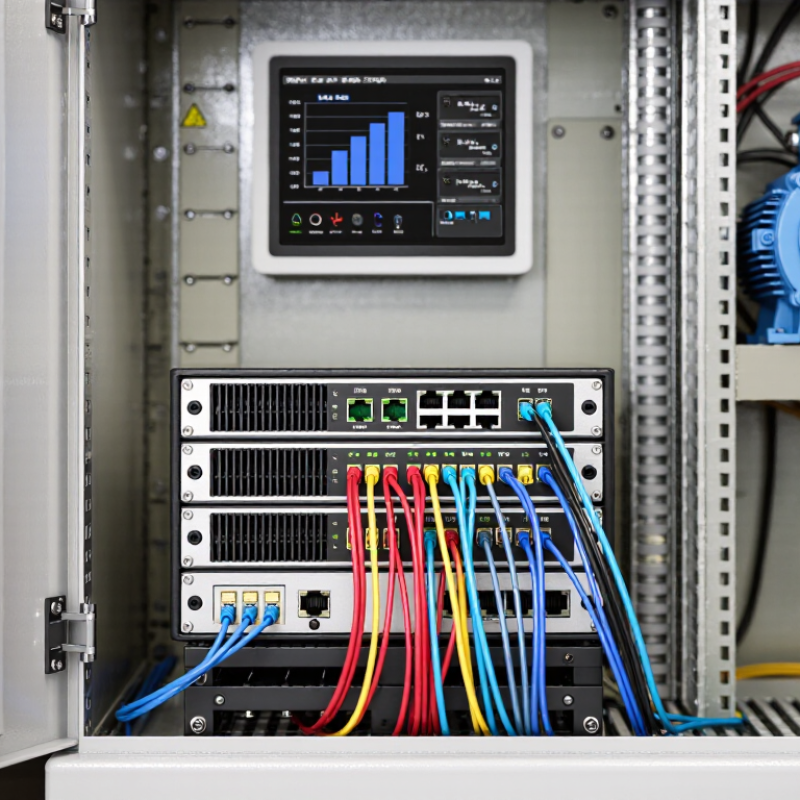
An Ethernet gateway connects wired Ethernet devices with another network or communication system. It receives data frames, examines their destination, and forwards them through the correct interface. In some installations, it also translates between protocols, such as Ethernet and serial communication.
That translation matters.
A temperature controller may send simple serial data, while a monitoring server expects IP packets. The gateway converts the message format and delivers it across the network. It can also provide routing, address translation, access control, and diagnostic logs. However, a gateway is not automatically a switch or a complete security appliance. Its actual functions depend on its hardware and software.
Choosing the right Ethernet gateway starts with the network’s real workload. Check port types, supported protocols, data speed, and maximum connected devices. A busy factory floor needs stable performance under constant traffic. A small office may need easier configuration instead. Look for encrypted management, user permissions, firmware updates, and event records. These details become valuable during a fault at 2 a.m.
I once treated bandwidth as the main specification. That was incomplete. Compatibility and recovery options mattered more. Ask whether the gateway supports automatic restart, backup settings, and clear status indicators. Also consider temperature, mounting space, cable length, and electrical noise. A device that works on a desk may struggle inside a control cabinet. Test it with actual devices before deployment, because written specifications rarely reveal every integration problem.
| Gateway Category | What It Does | Typical Ethernet Interfaces | Common Protocol Conversion | Routing and Network Functions | Recommended Use | Key Selection Considerations |
|---|---|---|---|---|---|---|
| Industrial Fieldbus-to-Ethernet Gateway | Connects legacy industrial field devices to an Ethernet-based control or monitoring network. | 10/100 Mbps One or two copper Ethernet ports are common | Serial or fieldbus protocols to Modbus TCP, EtherNet/IP, PROFINET, or another industrial Ethernet protocol | Usually provides message conversion, device mapping, diagnostics, and sometimes basic filtering. | PLC integration, factory automation, machine monitoring, and SCADA connectivity. | Verify supported fieldbus, maximum device count, register or data-point capacity, update rate, and electrical isolation. |
| Serial-to-Ethernet Gateway | Allows equipment with RS-232, RS-422, or RS-485 ports to communicate over an IP network. | 10/100 Mbps One Ethernet port plus one or more serial ports | Serial data to TCP, UDP, virtual COM, or Modbus TCP | May support TCP server, TCP client, UDP, tunneling, buffering, and serial parameter configuration. | Remote instruments, meters, barcode readers, controllers, and legacy equipment. | Check serial mode, baud rate range, parity, stop bits, connector type, cable distance, and simultaneous connections. |
| Wireless Cellular Ethernet Gateway | Provides IP connectivity for Ethernet devices through a cellular mobile network. | 10/100 Mbps or 10/100/1000 Mbps Cellular modem and SIM or eSIM support | IP routing rather than direct protocol translation; may support MQTT, HTTPS, VPN, and industrial protocols. | NAT, DHCP, firewall rules, VPN client or server, private APN support, and automatic failover may be available. | Remote sites, temporary installations, mobile equipment, utility assets, and locations without wired broadband. | Confirm cellular bands, regional network compatibility, antenna requirements, data plan, signal strength, VPN support, and operating temperature. |
| Ethernet-to-Ethernet Routing Gateway | Connects separate IP networks and controls traffic between different Ethernet segments. | 10/100 Mbps, 1 Gbps, or higher Two or more Ethernet interfaces | Normally does not translate application protocols; forwards IP traffic between subnets. | Static routing, DHCP, NAT, firewall, VLAN, port forwarding, and access-control features may be included. | Factory network segmentation, building automation, branch connectivity, and secure access between LANs. | Select based on routing throughput, number of ports, VLAN requirements, VPN performance, concurrent sessions, and security features. |
| Protocol-Translation Gateway | Converts data between different application-layer protocols so devices from separate systems can exchange information. | 10/100 Mbps or 1 Gbps Ethernet plus optional serial, fieldbus, or wireless interfaces | Examples include Modbus RTU to Modbus TCP, OPC UA to MQTT, and proprietary device data to REST or MQTT. | Data normalization, tag mapping, buffering, store-and-forward, filtering, and event handling may be supported. | IT/OT integration, cloud connectivity, energy management, and multi-vendor automation systems. | Check supported protocol versions, data-model flexibility, conversion latency, message capacity, timestamp handling, and offline buffering. |
| Secure Remote-Access Gateway | Enables authorized users or service systems to access remote Ethernet equipment without exposing the entire local network. | 10/100 Mbps or 1 Gbps One or more LAN/WAN ports | Carries IP traffic through encrypted VPN protocols such as IPsec, OpenVPN, or WireGuard, depending on implementation. | VPN, firewall, user authentication, role-based access, logging, NAT, and segmented access control. | Remote maintenance, distributed infrastructure, industrial support, and secure equipment administration. | Evaluate encryption standards, authentication methods, user management, audit logs, remote updates, and fail-safe behavior. |
| Managed Industrial Ethernet Gateway | Combines gateway functions with network management for industrial environments requiring monitoring and redundancy. | 10/100 Mbps, 1 Gbps, or higher Multiple copper or fiber ports | May support industrial Ethernet protocols, VLAN tagging, time synchronization, and application data conversion. | Managed switching, VLAN, QoS, RSTP or other redundancy mechanisms, SNMP monitoring, diagnostics, and port controls. | High-availability production lines, transportation systems, substations, and large industrial networks. | Confirm redundancy protocol, recovery time, fiber type, port count, multicast handling, QoS, management interface, and compliance requirements. |
| IoT Edge Gateway | Collects data from local devices, performs basic processing, and forwards selected information to cloud or enterprise applications. | 10/100 Mbps or 1 Gbps Often combined with serial, wireless, USB, or sensor interfaces | MQTT, HTTPS, OPC UA, Modbus TCP/RTU, REST API, and other device or cloud protocols. | Local rules, data filtering, aggregation, buffering, container support, device management, and certificate handling may be available. | Condition monitoring, predictive maintenance, smart buildings, energy analytics, and connected assets. | Consider processor and memory resources, storage, message rate, local analytics, cloud compatibility, cybersecurity, and long-term software support. |
| Fiber Ethernet Gateway | Uses fiber-optic Ethernet to connect devices across long distances or electrically noisy environments. | 100 Mbps or 1 Gbps SFP, fixed fiber, or copper-to-fiber interfaces | Usually forwards Ethernet frames; protocol conversion depends on the gateway design. | May provide VLAN, redundancy, media conversion, link monitoring, and managed switching. | Substations, industrial plants, campuses, transportation infrastructure, and long-distance links. | Select multimode or single-mode fiber, connector type, optical distance, link budget, temperature rating, and grounding requirements. |
Selection rule: first identify the interfaces and protocols that must communicate, then verify Ethernet speed, required routing or protocol-conversion functions, security features, environmental rating, power requirements, management method, and expected traffic load. Actual throughput and supported features vary by device design and configuration.